Cattle-Go
CattleGo - Intelligent Livestock Breed Identification System
Overview - of Cattle Breed
CattleGo is a smart livestock management app that helps farmers and researchers identify Indian cattle breeds using AI-based image recognition. It combines machine learning, real-time detection, multilingual support, and a RAG-based chatbot to make livestock management more accessible and efficient.
Features
Breed Detection (AI Model)
- Custom MobileNetV2 model trained for Indian cattle breed classification
- Supports both real-time detection and photo upload
- Achieves 53% accuracy on the validation dataset
Frontend
- Built with Flutter for cross-platform use
- Firebase Authentication for secure user login
- Clean UI with options for live camera, image upload, and breed prediction results
Backend
- Model served through FastAPI
- Public breed-detection API deployed on Hugging Face Spaces
- Supports authenticated access using user-provided Hugging Face tokens
- Handles image uploads and returns predicted breed with confidence score
RAG-based Chatbot
- Hosted on a separate server
- Provides breed-related answers and general livestock guidance
- Context-aware and supports user queries dynamically
Multilingual Support
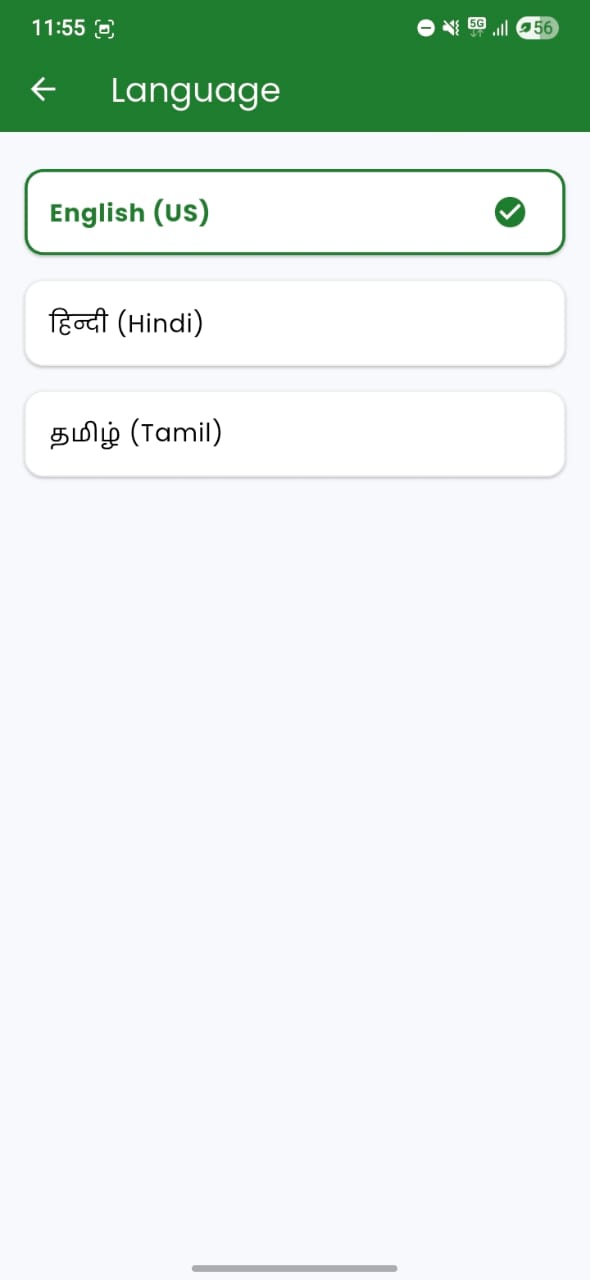
- App available in English, Tamil, and Hindi for wider accessibility
Tech Stack
| Layer | Technologies Used |
|---|---|
| Frontend | Flutter |
| Backend | FastAPI, Python |
| Machine Learning | TensorFlow / Keras (MobileNetV2) |
| Authentication | Firebase |
| Deployment | Hugging Face Spaces (breed detection API), separate server for chatbot |
| Database | Firebase Firestore (optional for storing user data) |
Architecture Workflow
- User Login -> Firebase Authentication
- Choose Detection Mode -> Upload photo or live camera feed
- Image Sent to FastAPI Server -> Hugging Face Spaces hosts the public inference API
- Model (MobileNetV2) -> Predicts cattle breed and returns response
- Result Displayed in App -> Breed name + confidence level
- Chatbot Interaction -> Users can ask breed-related queries
- Multilingual UI -> English, Tamil, Hindi toggle
Machine Learning Model Details
- Architecture: MobileNetV2
- Training Dataset: Indian cattle breed images
- Input Size: 256x256x3
- Accuracy: ~53% (Baseline)
- Framework: TensorFlow / Keras
- Optimization Options: FP16 / INT8 quantization for deployment
Training Evolution
Stage 1: Initial Fine-tuning (After Finetune1 -> Before Finetune2)
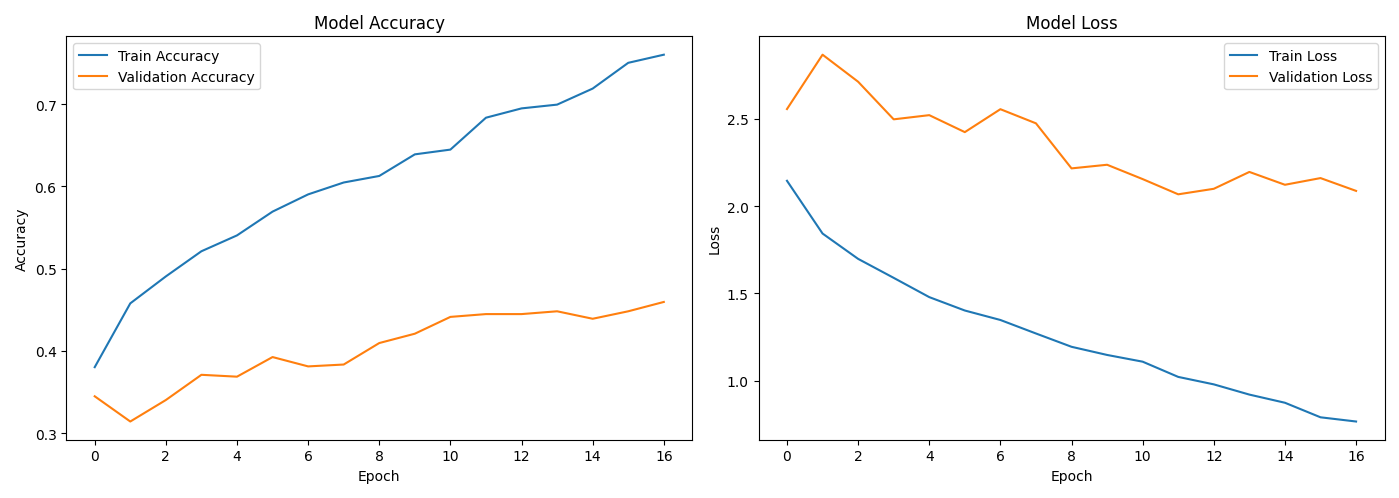 Analysis: Model begins learning but struggles with generalization, showing clear overfitting patterns.
Stage 2: Intermediate Fine-tuning (After Finetune2 -> Before Finetune3)
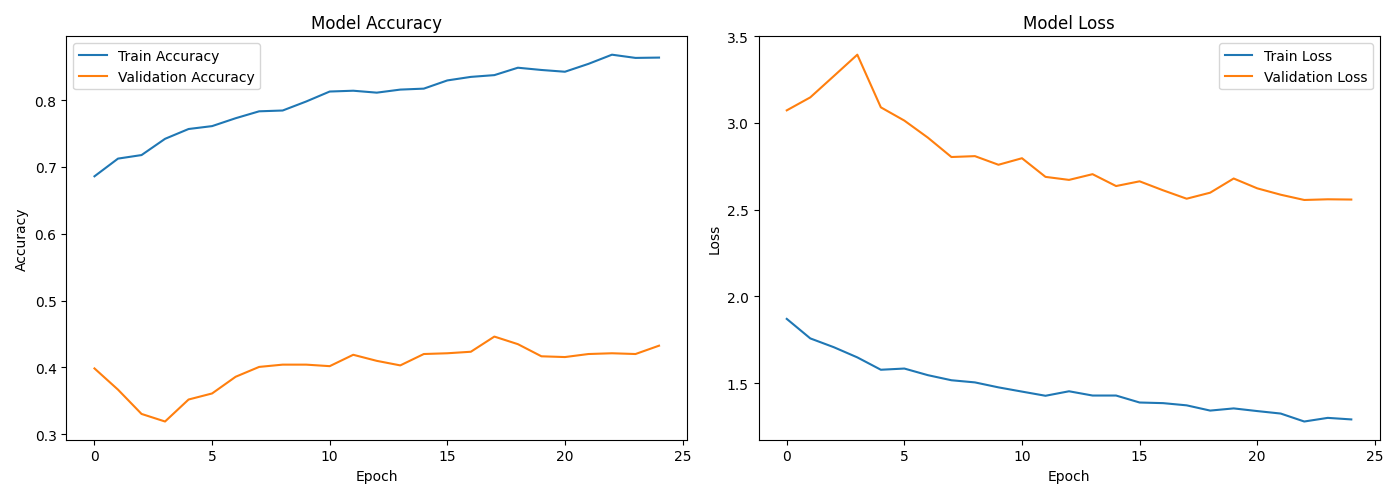 Analysis: Overfitting reduced; model generalizes better with stable loss and accuracy curves.
Stage 3: Enhanced Fine-tuning (After Finetune3 -> Before Finetune4)
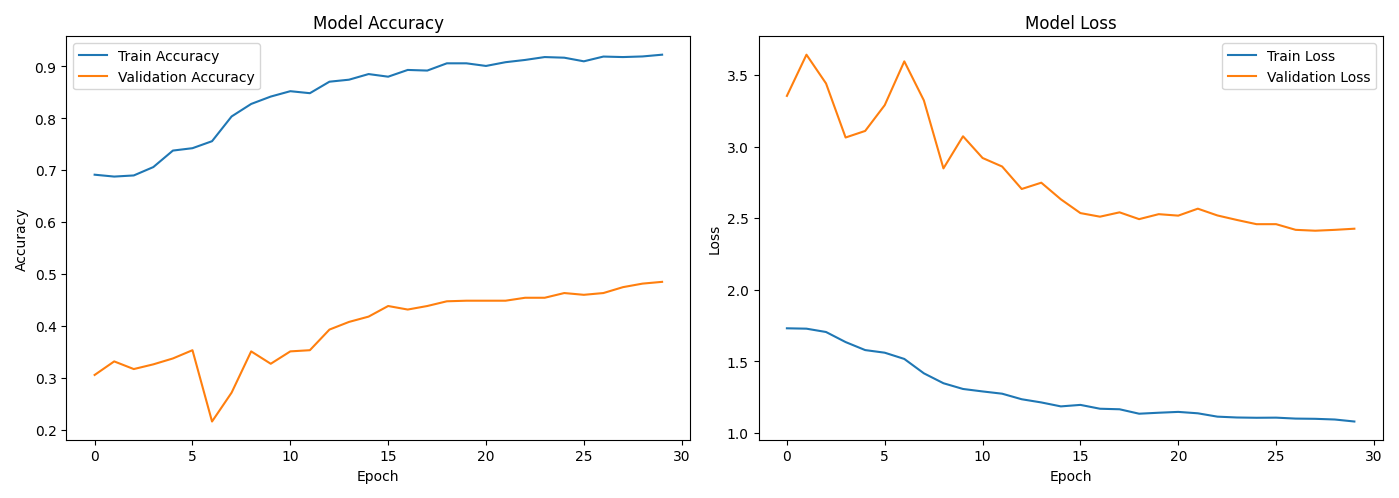 Analysis: Excellent convergence with high accuracy and synchronized loss curves.
Stage 4: Final Optimization (After Finetune4 -> Before Finetune5)
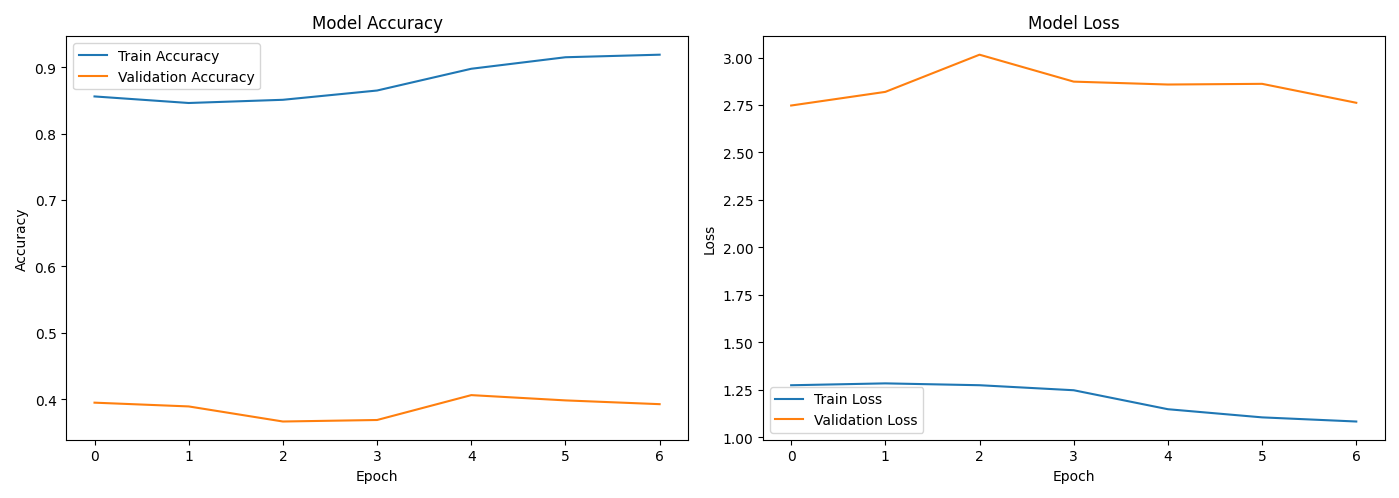 Analysis: Model achieves its best performance; overfitting minimized and accuracy plateau achieved.
Confusion Matrix
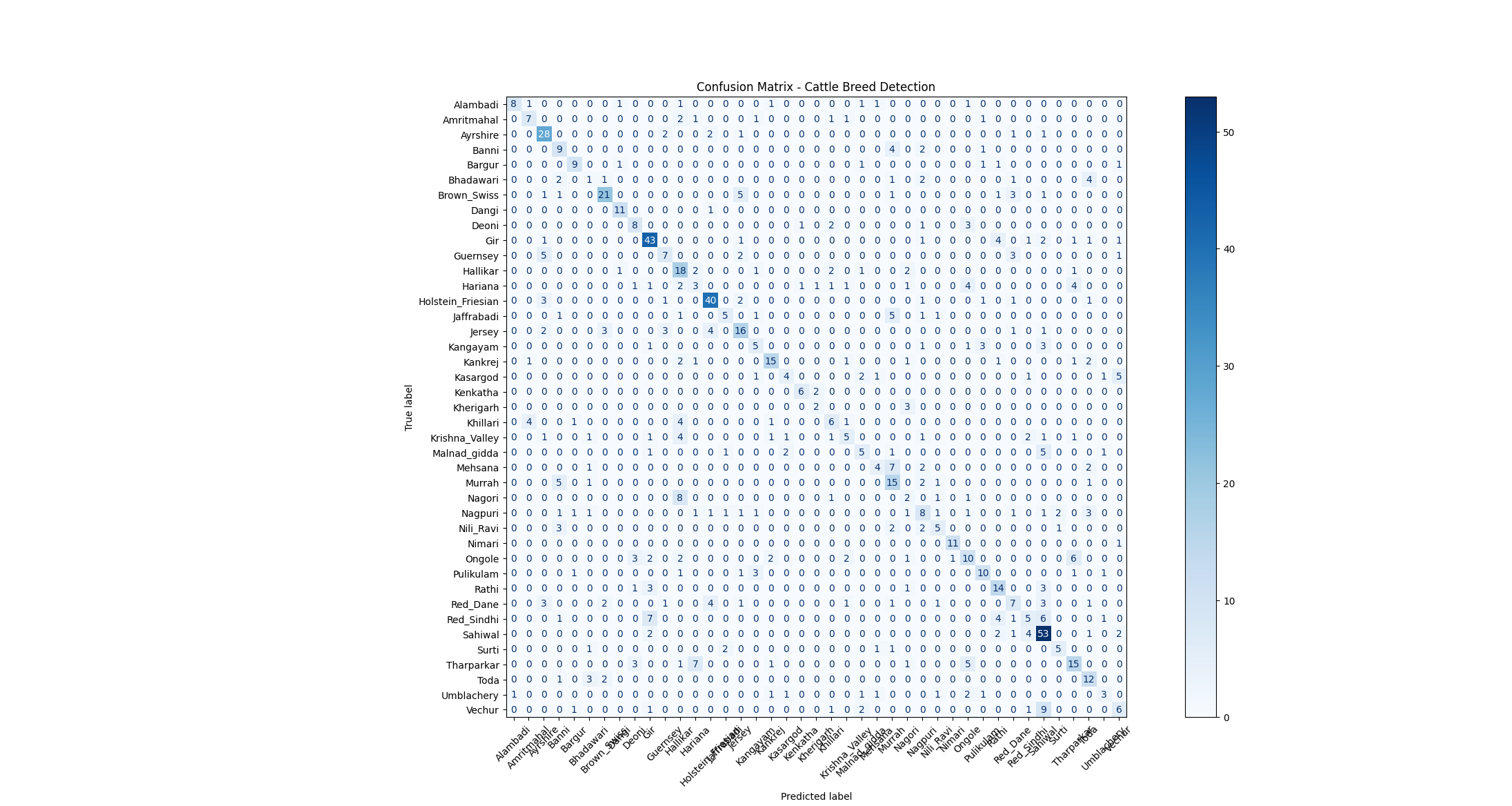 Purpose: Displays model performance across all breed classes, highlighting correctly and incorrectly predicted breeds.
App Screenshots
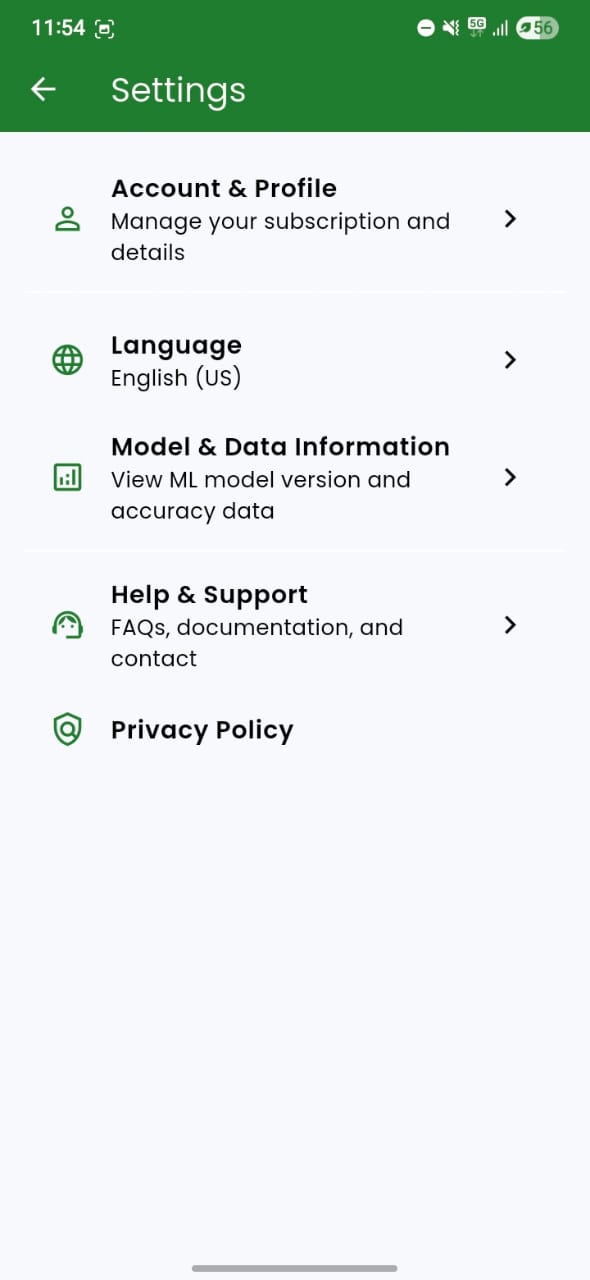
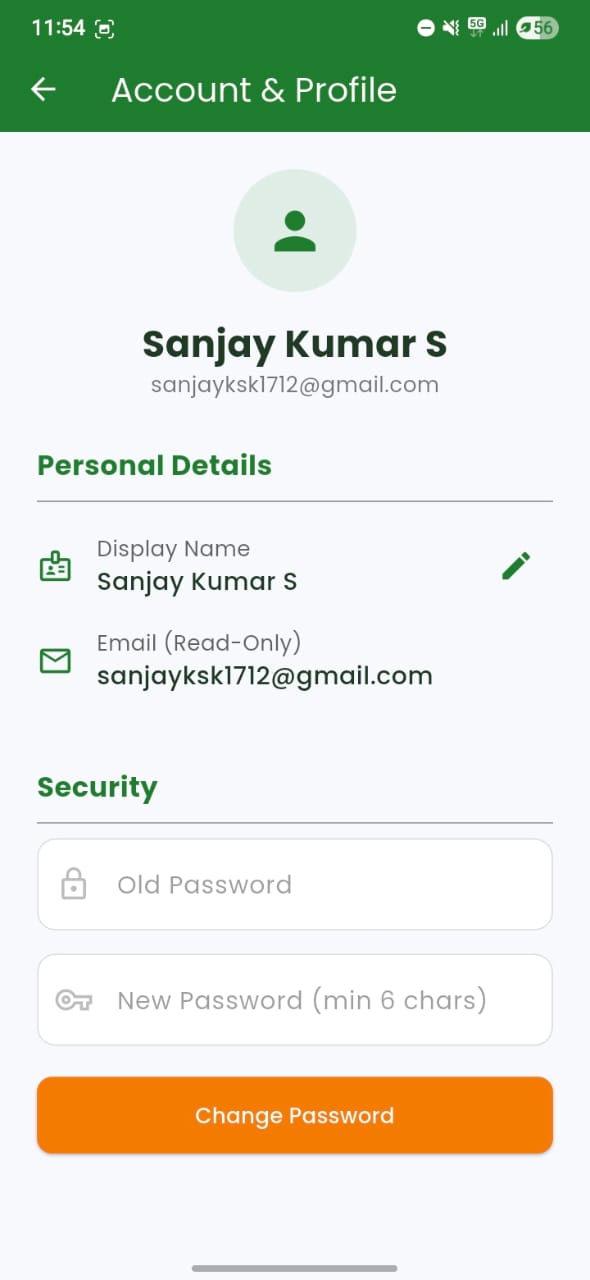
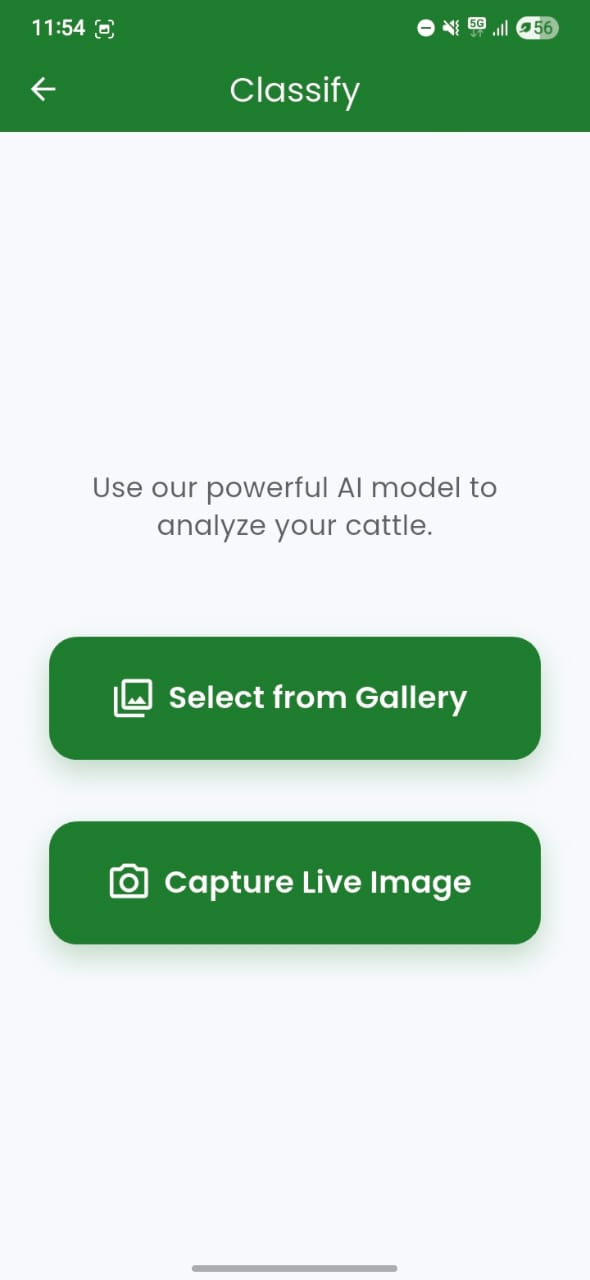
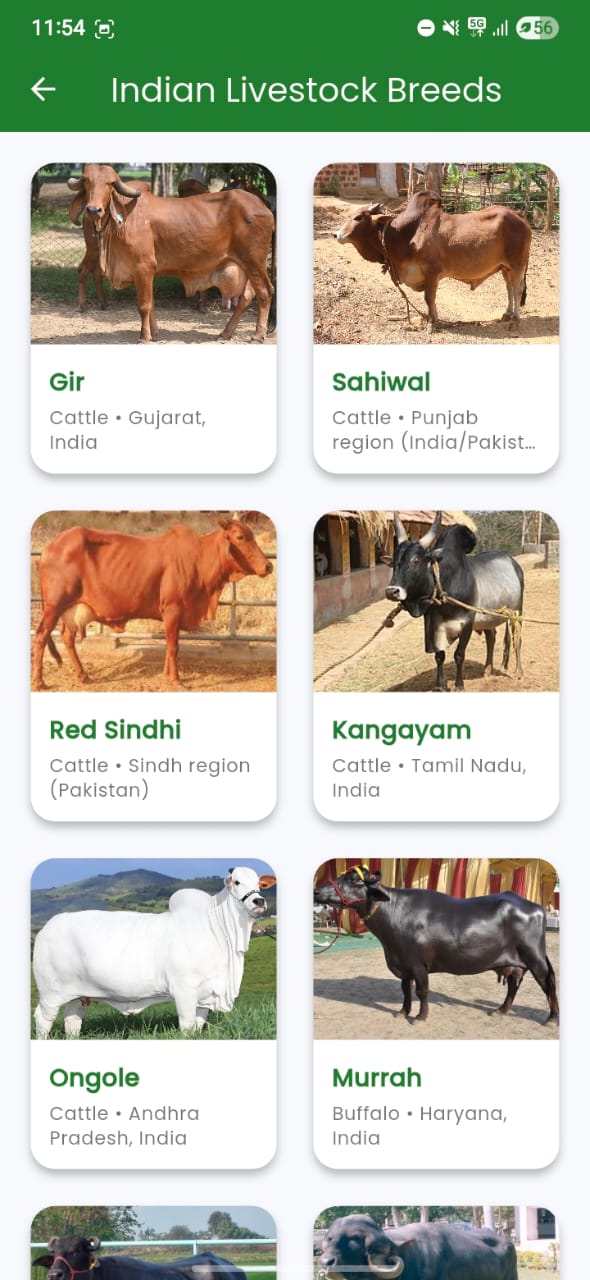
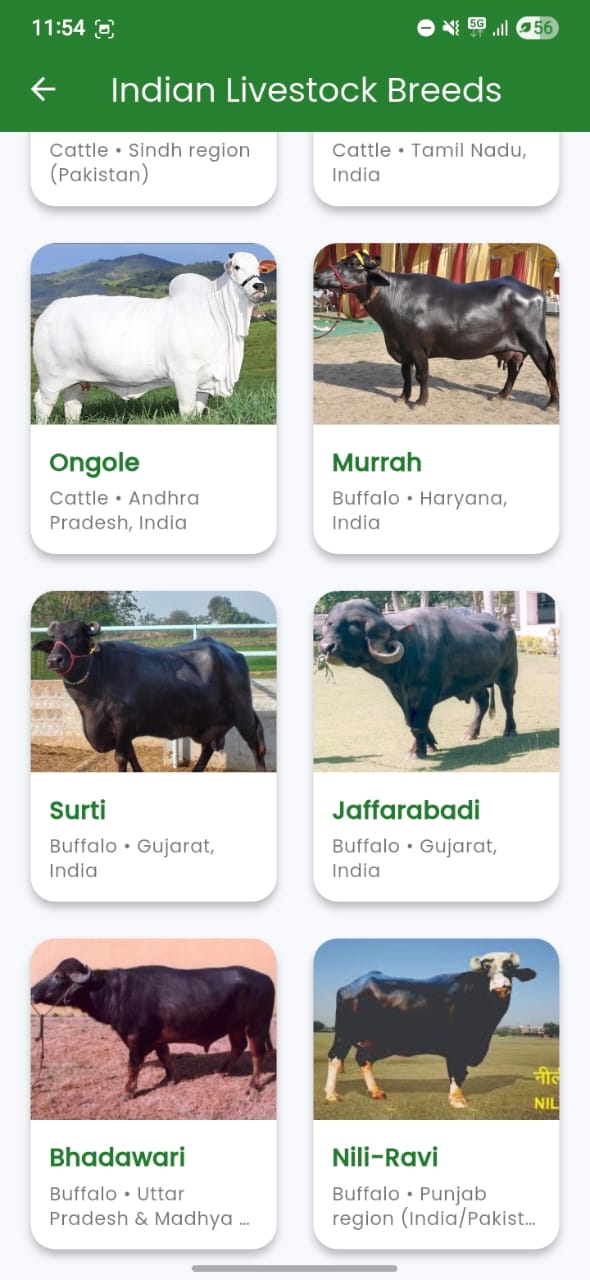
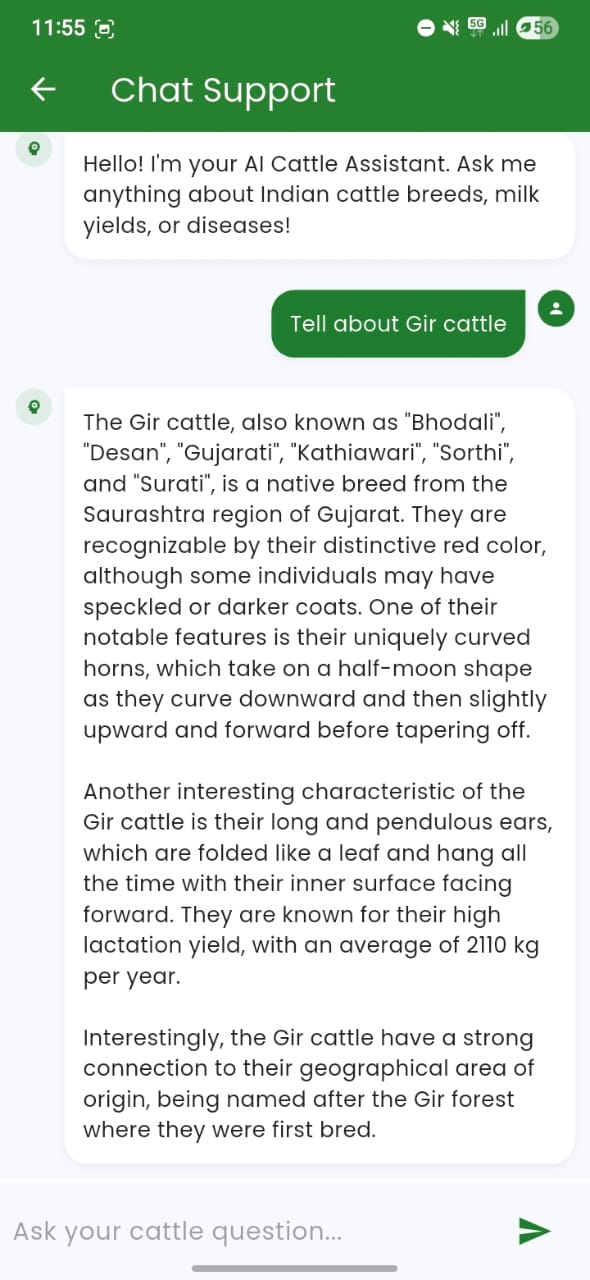
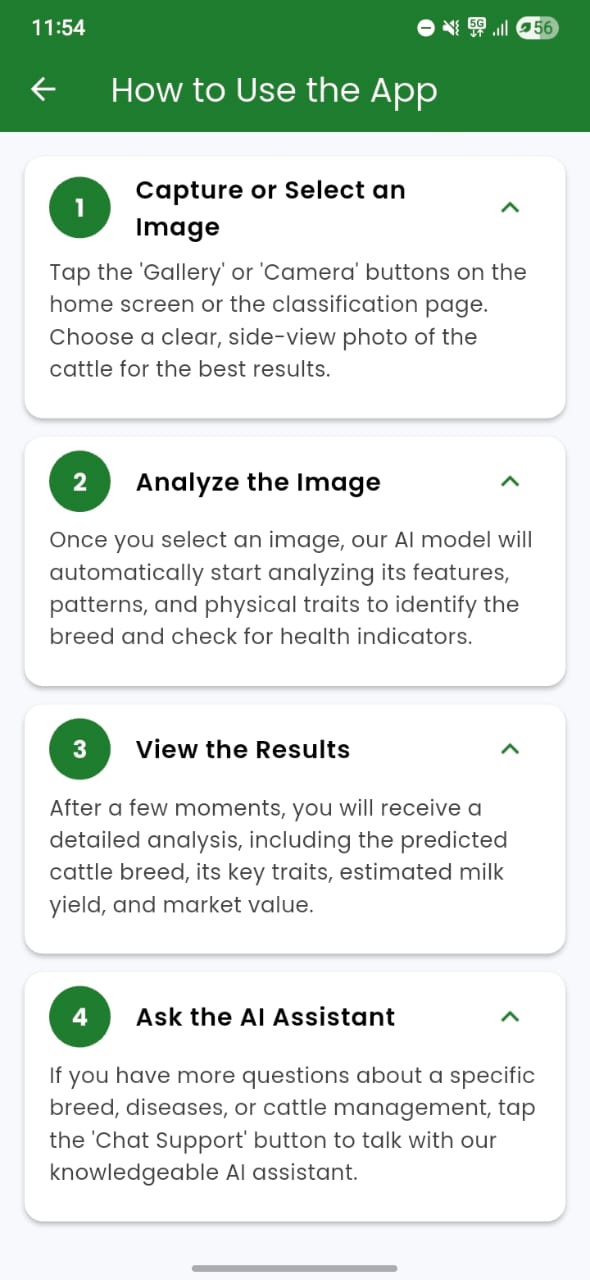
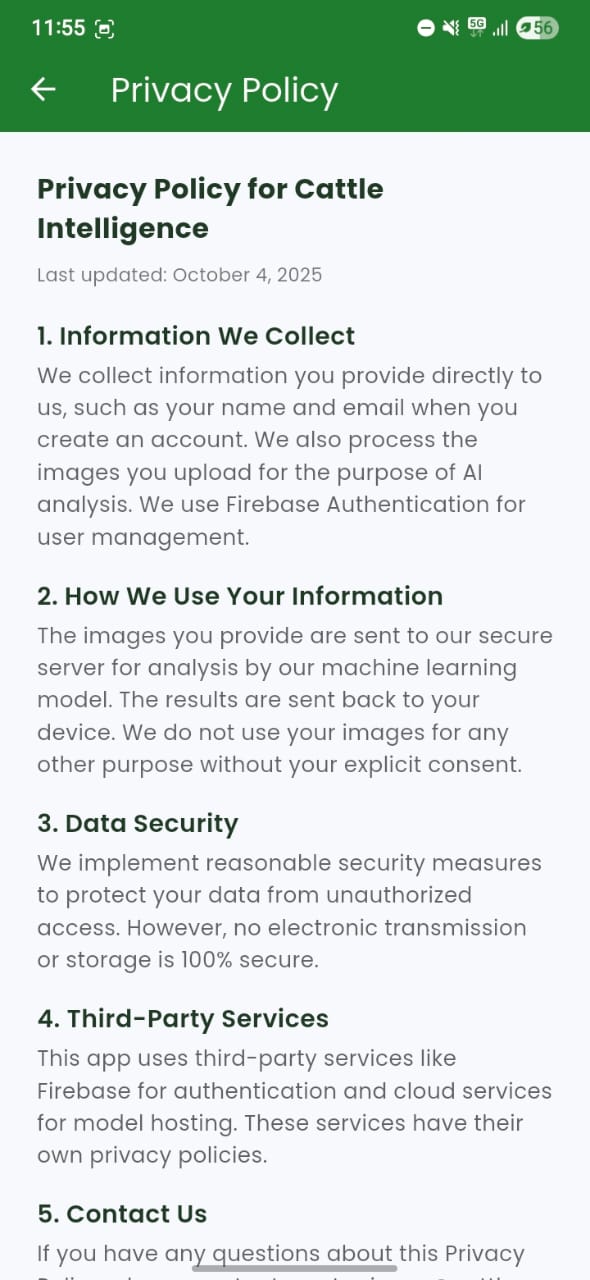
Below are key screens of the CattleGo app demonstrating multilingual support, breed classification, chatbot, and user interface design.
Authentication
| Sign In | Sign Up |
|———-|———-|
| 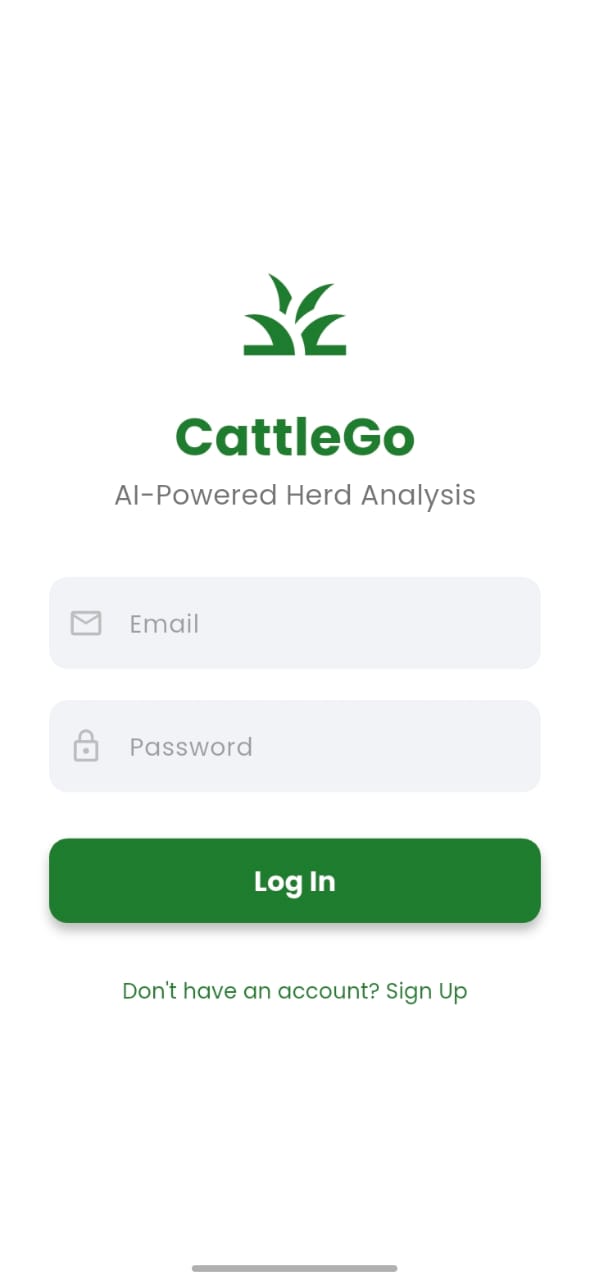 |
| 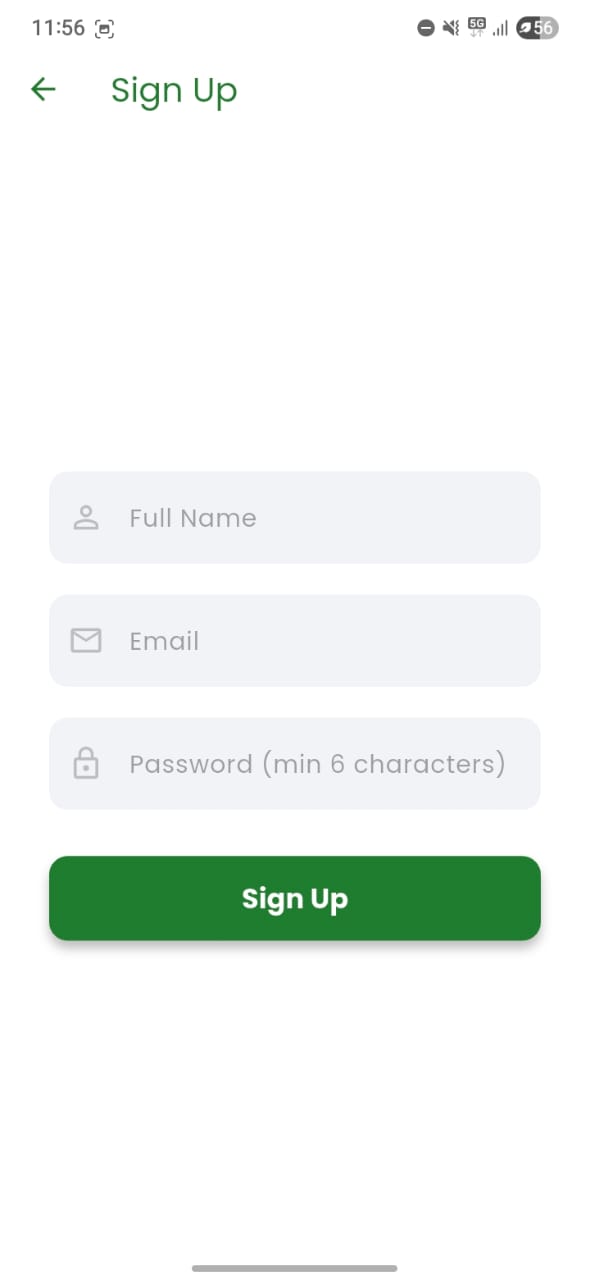 |
|
Home & Settings
| Home Page | Settings Page | Profile |
|————|—————-|———-|
| 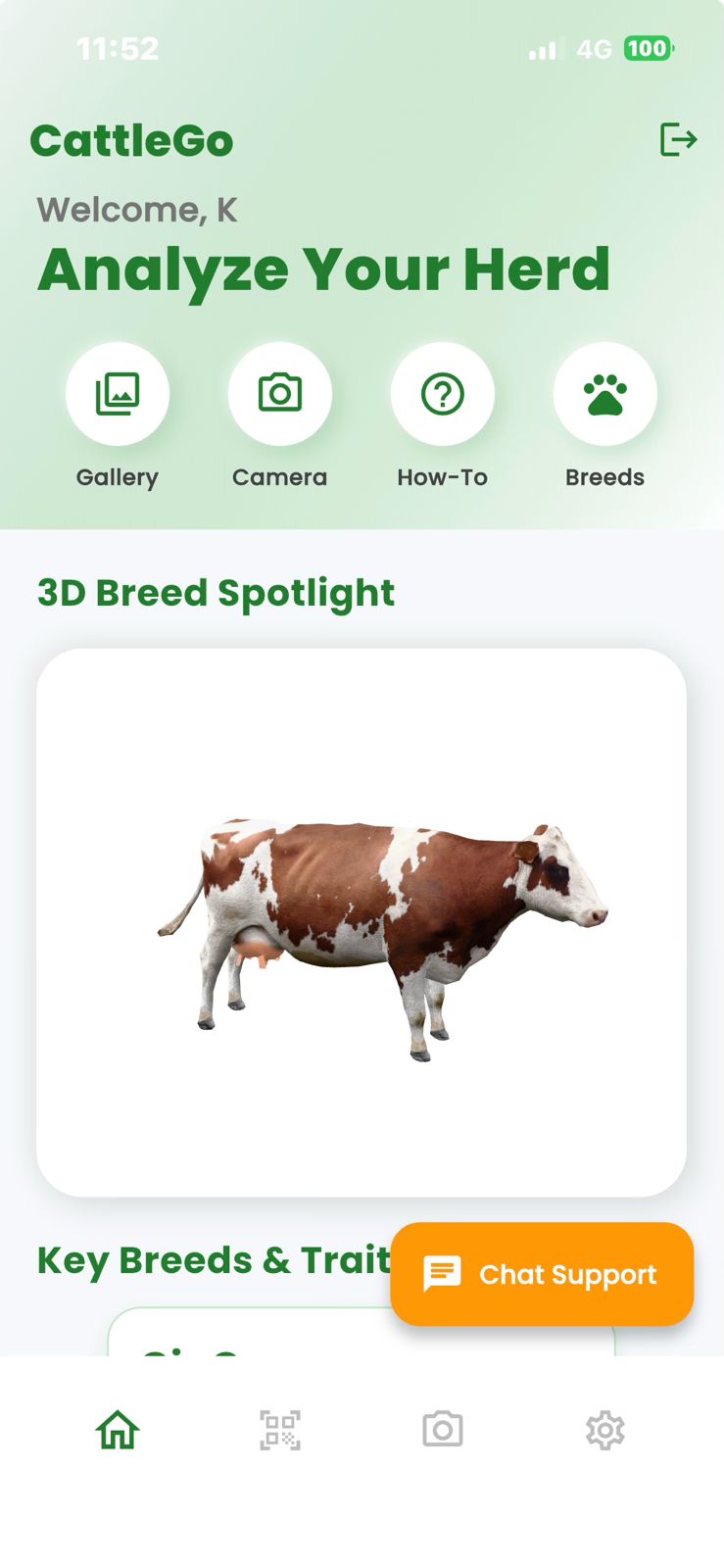 |
|  |
|  |
|
Breed Classification
| Classification Page | Breeds List | Breeds Info |
|———————-|————-|————–|
|  |
|  |
|  |
|
RAG Chatbot & Info Pages
| Chatbot | How To Use | App Language |
|———-|————-|————–|
|  |
|  |
|  |
|
Privacy Policy
Try the App
You can try the CattleGo app on your Android device using our Release APK:
Make sure to enable “Install from unknown sources” on your Android device to install the APK.
Hugging Face Space API
The cattle breed detection backend is publicly deployed on Hugging Face Spaces.
Users can access the deployed API using their own Hugging Face access tokens.
Create a token
- Sign in to Hugging Face.
- Open Settings -> Access Tokens.
- Create a token with the permissions required to access the Space.
- Export it in your terminal as
HF_TOKEN.
Test image upload prediction
Use the /predict endpoint for standard image classification:
export HF_TOKEN="your_huggingface_token"
export HF_SPACE="https://sanjay11kumar17s-cattle-go-model.hf.space"

curl -X POST \
  -H "Authorization: Bearer $HF_TOKEN" \
  -F "file=@path/to/cattle_image.jpg" \
  "$HF_SPACE/predict"
Expected response format:
{
  "class": "Gir",
  "confidence": 0.94,
  "description": "Indian dairy breed...",
  "message": "Prediction complete"
}
Test live frame prediction
Use the /predict-frame endpoint for real-time frame uploads:
curl -X POST \
  -H "Authorization: Bearer $HF_TOKEN" \
  -F "file=@path/to/frame.jpg" \
  "$HF_SPACE/predict-frame"
Access Space logs via API
Get container logs:
curl -N \
  -H "Authorization: Bearer $HF_TOKEN" \
  "https://huggingface.co/api/spaces/SANJAY11KUMAR17S/Cattle_Go_Model/logs/run"
Get build logs:
curl -N \
  -H "Authorization: Bearer $HF_TOKEN" \
  "https://huggingface.co/api/spaces/SANJAY11KUMAR17S/Cattle_Go_Model/logs/build"
GPU Resource
+-----------------------------------------------------------------------------------------+
| NVIDIA-SMI 580.65.06              Driver Version: 580.65.06      CUDA Version: 13.0     |
+-----------------------------------------+------------------------+----------------------+
| GPU  Name                 Persistence-M | Bus-Id          Disp.A | Volatile Uncorr. ECC |
| Fan  Temp   Perf          Pwr:Usage/Cap |           Memory-Usage | GPU-Util  Compute M. |
|                                         |                        |               MIG M. |
|=========================================+========================+======================|
|   0  NVIDIA GeForce RTX 4070 ...    Off |   00000000:01:00.0  On |                  N/A |
|  0%   37C    P8              9W /  220W |   10369MiB /  12282MiB |      0%      Default |
|                                         |                        |                  N/A |
+-----------------------------------------+------------------------+----------------------+

+-----------------------------------------------------------------------------------------+
| Processes:                                                                              |
|  GPU   GI   CI              PID   Type   Process name                        GPU Memory |
|        ID   ID                                                               Usage      |
|=========================================================================================|
|    0   N/A  N/A            1364      G   /usr/lib/xorg/Xorg                      150MiB |
|    0   N/A  N/A            1600      G   /usr/bin/gnome-shell                     20MiB |
|    0   N/A  N/A            4666      G   /usr/share/code/code                     44MiB |
|    0   N/A  N/A            5360      C   python                                10052MiB |
|    0   N/A  N/A            6189      G   rustdesk                                 31MiB |
+-----------------------------------------------------------------------------------------+
–
Future Enhancements
- Improve model accuracy (>80%) with more balanced datasets
- Add offline detection using TensorFlow Lite
- Integrate GPS-based livestock tracking
- Expand chatbot knowledge base for veterinary queries
- Support for more regional languages
- Real-time health monitoring features
- Breed recommendation system for different climates
Setup & Installation
Prerequisites
- Flutter SDK
- Python 3.8+
- TensorFlow
- Firebase account
- Hugging Face account
- CUDA Toolkit 12.1 with cuDNN 8.9.2
- Ubuntu 22.04 Jammy Jellyfish
Installation Steps
- Clone the repository
- Install Flutter dependencies:
flutter pub get - Set up Python backend:
pip install -r requirements.txt - Configure Firebase authentication
- Deploy the FastAPI model backend to Hugging Face Spaces or use the public deployed Space
- Run the Flutter app:
flutter run
Usage
- Login: Users authenticate via Firebase
- Detection Mode Selection:
- Live Camera: Real-time breed detection
- Photo Upload: Detect from existing images
- Results: View predicted breed with confidence score
- Chat Assistance: Ask breed-related questions via chatbot
- Language Toggle: Switch between English, Tamil, or Hindi
Contributing
We welcome contributions to improve CattleGo. Areas of interest:
- Model accuracy improvements
- Additional language support
- UI/UX enhancements
- Documentation updates
- Bug fixes and performance optimizations
Note: This documentation reflects the model training progress up to Finetune4, with Finetune5 representing ongoing optimization efforts.
Disclaimer: Developed by Team VeriSimilar. All Rights Reserved 2025